
The "Robo Stumble": Your Guide to Zoox Driverless Rides in Las Vegas
- May 16
- 4 min read
If you are heading to the Las Vegas Strip, you can try out a unique high tech transportation option found only in one other city (San Francisco). Zoox robo taxis are autonomous vehicles with no driver in sight a private cab just for you. Zoox has been been rapidly expanding in Vegas and as of May 2026 rides are free. It's expected there will be a charge for these rides soon enough so take advantage while you can.
Just you, the Zoox & the App
The Zoox vehicle is unique, without a traditional "front" or "back" it's designed as carriage style cabins where passengers face each other. Thankfully, you will only be in a Zoox with people you know or that could get awkward.
The entire experience is app driven which presents some complexities for those who like to plan ahead and for international visitors. We got you covered on both fronts later in the blog, but first let's cover the process & ride basics.
To request a ride, simply select your pick-up and drop-off locations in the app (Apple; Android). You'll then receive an estimated pick-up time
When your Zoox arrives allow any passengers to depart and wait for the doors to close. You will then open the doors using the app to ensure no one takes your Zoox.
Once inside you control the temperature, play your own music and relax for the ride.
Where you can go
The first key difference between Zoox and options like a taxi or ride share is you can ONLY travel between the designated locations. You get picked up at one of the Zoox spots and dropped off at a Zoox area at another property. There is no ability to enter a specific address for either pick up or drop off.
If you like to plan ahead, Zoox makes it a bit challenging as you can only see their supported locations in the app once you are in the local area. Here's a sample of the app view from April 2026.
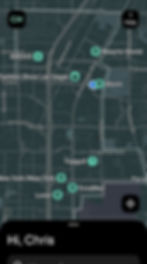
Our Zoox specific map is updated as of mid May 2026 with a number of recently added locations and our Detailed Vegas Strip map will stay updated as Zoox continues to add options.

Another important note is that the Sphere & T-Mobile locations are only available for certain events. You will have to check near the time of your event to see if rides are available to or from those locations.
The International Visitor’s "Pro Tip"
For our friends visiting from outside the U.S., there is one technical hurdle to clear: the Zoox app is currently only available in the US version of the Apple App & US Google Play Stores. As your phone is likely set to your home country, the app won't appear in your search results.
While you need a US store to download the app, many users report success registering with an international phone number once the app is installed as long as you can receive the SMS verification code.
Disclaimer: Strip Stumble does not provide technical support and is not responsible for any issues caused by following these instructions. These details are from reports of others online & are provided because it's commonly asked if there are any options for International visitors.

For Apple (iOS) Users
The commonly suggested method is creating a secondary "US Apple ID." Do not try to simply change your region, as that often requires canceling all your active subscriptions.
Go to your settings and sign out of your current Apple ID.
Create a new ID at appleid.apple.com using a fresh email and setting the region to United States.
You should be able to use your local phone number for verification. When asked for payment, select "None."
Once the app is downloaded, you can sign back into your original account, and Zoox will remain ready to use.
For Android Users
There are a couple different options suggested for Android users.
Method A: The US Google Account
This method involves using a VPN to create a secondary US Google profile so you can access the US Play Store directly.
Turn on a US-based VPN server (such as NordVPN or Surfshark) on your phone.
While the VPN is active, go to Settings > Google > Add another account and create a new Google/Gmail account.
Do not add a payment method during the setup process. If forced to choose, select skip.
Open the Google Play Store, tap your profile icon in the top right corner, and switch to your newly created US account.
Search for "Zoox" in the store, download it, and then you can switch your Play Store back to your main account.
Method B: The Sideload Method (Use with Caution)
This method bypasses the Google Play Store entirely by downloading the application file directly to your phone.
Go to your phone's Settings > Security (or Apps & Notifications) and temporarily toggle on "Install from Unknown Sources" for your mobile browser.
Open your mobile browser and navigate to an APK repository like APKMirror.
Search for "Zoox," select the latest official release, and download the APK file to your device.
Once downloaded, open your phone's File Manager, go to your Downloads folder, and tap the Zoox file to install it.
After the app installs successfully, remember to go back into your settings and disable "Install from Unknown Sources" for your security.
Stumble Suggestions
Because this service is such a hit (and currently free), a little planning goes a long way.
During peak times, wait times can reach up to 45 minutes. While your wait time may change (keep an eye on app), it's best to expect a wait and request your ride while while you are finishing a meal or a round of slots and be patient.
If the tech is giving you trouble, there is a dedicated Zoox desk at Resorts World Las Vegas that can request a ride for you. Important to note that it's not clear what hours this desk is staffed.
Be flexible with your plans. Zoox is adding stops, wait times vary quite a bit and event specific stops like T-Mobile & Sphere may not be available when you hope.
Thanks for reading!